


Hello selhosted, First time posting here, I hope I’m not too much off topic !
I am currently working on my homeserver. I needed some more storage, but said server being a tiny Thinkcentre I needed to get a PCIe card to connect 4+ drives to it. I went with a PCIe LSI SAS 3008e card instead of a PCIe to SATA3, mainly because it allowed me to get to 12GB/s and also because the external mini-SAS connector seemed more reliable and stronger than standard SATA3 cables.
I plugged everything and technically it did work great. Until I almost burnt myself while touching the card. Thermometer on the picture failed to report how hot it actually was because I could not find the right place to put the sensor, but it really did felt like it was above 100°C/212°F. Even without touching directly the radiator, I could not keep my finger anywhere on the card either.
I knew nothing about SAS cards before, needless to say I’m a bit disappointed :( And my Thinkcentre is also too narrow to let me to put a fan on the card, so now I feel like I just got myself a new paperweight haha.
Are SAS cards always running this hot? Or did I bought a bad model? Also for those like me who are running their homelab with tiny computers, how did you achieve connecting 4+ drives to it ?
Thank you for reading!
Yes, they get very hot, and letting them run hot reduces their lifespan dramatically. they are designed for server chassis, and will need an extra fan pointed at the heat sink if you plan to use them anywhere there isn’t abundant forced air.
I don’t have this particular model but I ended up getting a 40mm noctua and managed to mount it directly on the heating. It helped a ton.
I also have a LSI HBA and installed a noctua 40mm fan over heat sink.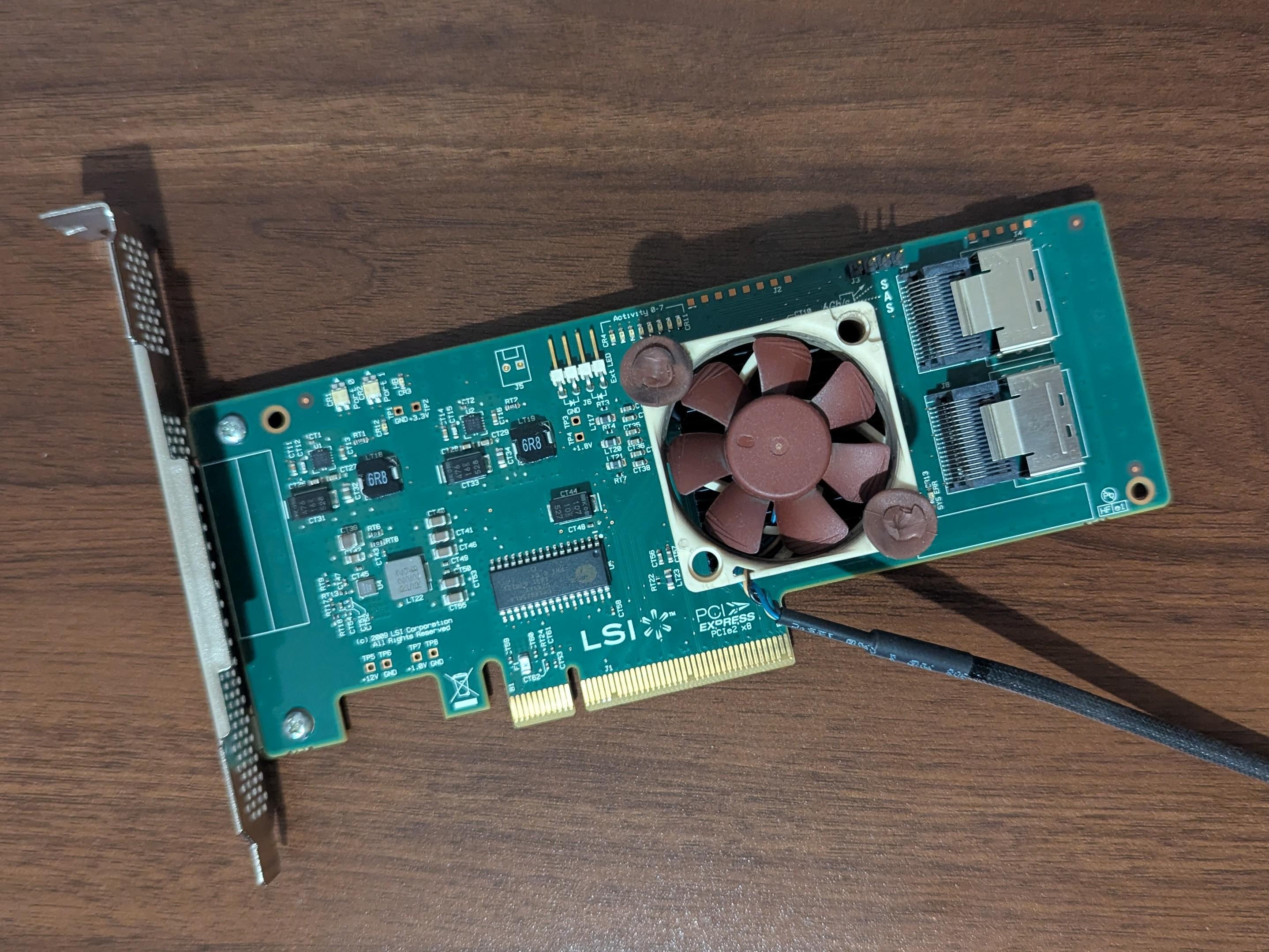
I shared it some time ago in my mastodon account 👉🏻 https://lile.cl/@carloshr/117363131083223049
I’d love to do exactly what you did, plus it does look nice. But once I close my tiny computer lid I only have 2mm of space above the radiator. But I’ll have to check if I can fit a blower fan next to the radiator instead! This might be the only solution that will work for my case haha Thanks for sharing your setup though !