The mouse did not survive interrogation.
Also mouse not pictured.
I lost a raspberry pi for a couple months. Just couldn’t find the darn thing. It was working fine serving away.
Turns out it was in the basement. I forgot I moved it to be closer to my tilt Hydrometer.
Oh, good thing you wrote this. I’m about to give one of my printers away and there’s still a pi inside
Cups?
OctoPrint (3d printer)
To be fair, those things are really tiny!
YEAH it’s bash.org
Ooo, another bash mirror. Nice!
For a while, the windows machine I was using kept randomly becoming unresponsive (both via network, as well as the keyboard+mouse) and I just could not figure out why. Everytime it did, I’d have to force a shutdown by holding the power button until it shutoff, then press it again to start back up. Sometimes this happened while I wasn’t home, so it had to just stay offline until I was.
I got sick of having to do this; so I replaced the power button with a transistor and a RPI. The PI would ping the server every 5min; if it failed to get a response 3 times in a row, it would trigger the transistor for 10sec, release for 3sec, then press and release again; forcing a poweroff then starting the machine again. It’d also write these events to a log file. I think it was around twice a week ish.
Never did figure out what the cause of the lockup was; but it stopped when I replaced windows with Debian.
Had a zyxel nas that got unresponsive after 10-15days of uptime, thankfully it hat a scheduled shutdown/reboot setting. Runs since 2014 with a reboot every Mondy 3am.
Heh, my router is on one of those timer plug things. No matter how frozen, it will reboot.
I’ve got an extra and don’t know what to do with it. I feel like its bad to pull power unexpectedly once a week though. Especially with a single HDD storage setup. I’d like to setup a RAID config, but its a 28TB drive and additional drives would cost me about $$$$$$$.
I have a NAS that had a similar problem, every week or two it would stop responding. From the logs it was clear that the machine was running fine after going non-responsive, but either the NIC or something else network related was crashing. However, the logs weren’t capturing the exact issue. I wrote a script to ping Google every 10 minutes, write a bunch of debug data to disc if it failed, and then reboot.
And it has never happened in the year since. I have no idea what the root cause was, but sending those pings out seems to have fixed it.
Never did figure out what the cause of the lockup was
the mysteries of closed-source software
I also had a machine that would randomly crash on Windows, but not on Linux.
I’m pretty sure it was some sort of hardware failure, as it also sometimes failed to boot Linux. But if it booted Linux, it would be stable until I shut it down.
Sometimes Linux handles faults better than Windows
Typically dmesg shows error when the hardware is acting up
Note to any future lemmings who find this thread troubleshooting the same symptom…
- Rule out unswitched (non-chipset, direct CPU lanes) PCI connectivity and power issues by testing without specific PCI components. Unstable PCI errors can be missed during post and present later after boot, and Windows is especially bad at handling it transparently. Common culprits include GPU sag, dubious riser extensions, and anemic PSUs
- If there is a “high bandwidth” feature toggle for RAM in your BIOS settings that is currently on, try turning it off
- If your system drive is an NVMe blade with a Phizon controller, check if the manufacturer software has a firmware update available.
- If the freeze is regular but not persistent, try turning the polling rate down on your mouse, and if it’s wired, try to make sure it’s plugged into one of the board’s SOC-hosted USB 2.0 ports
Using an RPi with a transistor almost seems professional… ITAPPMONROBOT
I just wrote a comment about a very similar setup! Glad I wasn’t the only one haha
Yeah getting rid of windows solves many issues, LOL. I have always refused to run any server with windows, outside of being forced to at work. 😁
mouse not pictured
Got my hopes up for nothing!
I stared at that picture like it was a Where’s Wally for like 10 minutes before I came to check the comments and saw this note in OP’s message…
We are cut of the same cloth.
It’s OK I gotchu

Fun fact - he’s called that because this same thing happened to him with a dead mouse in the pc case.
Na, he was the mouse. There was so much RGB, this is what he became.
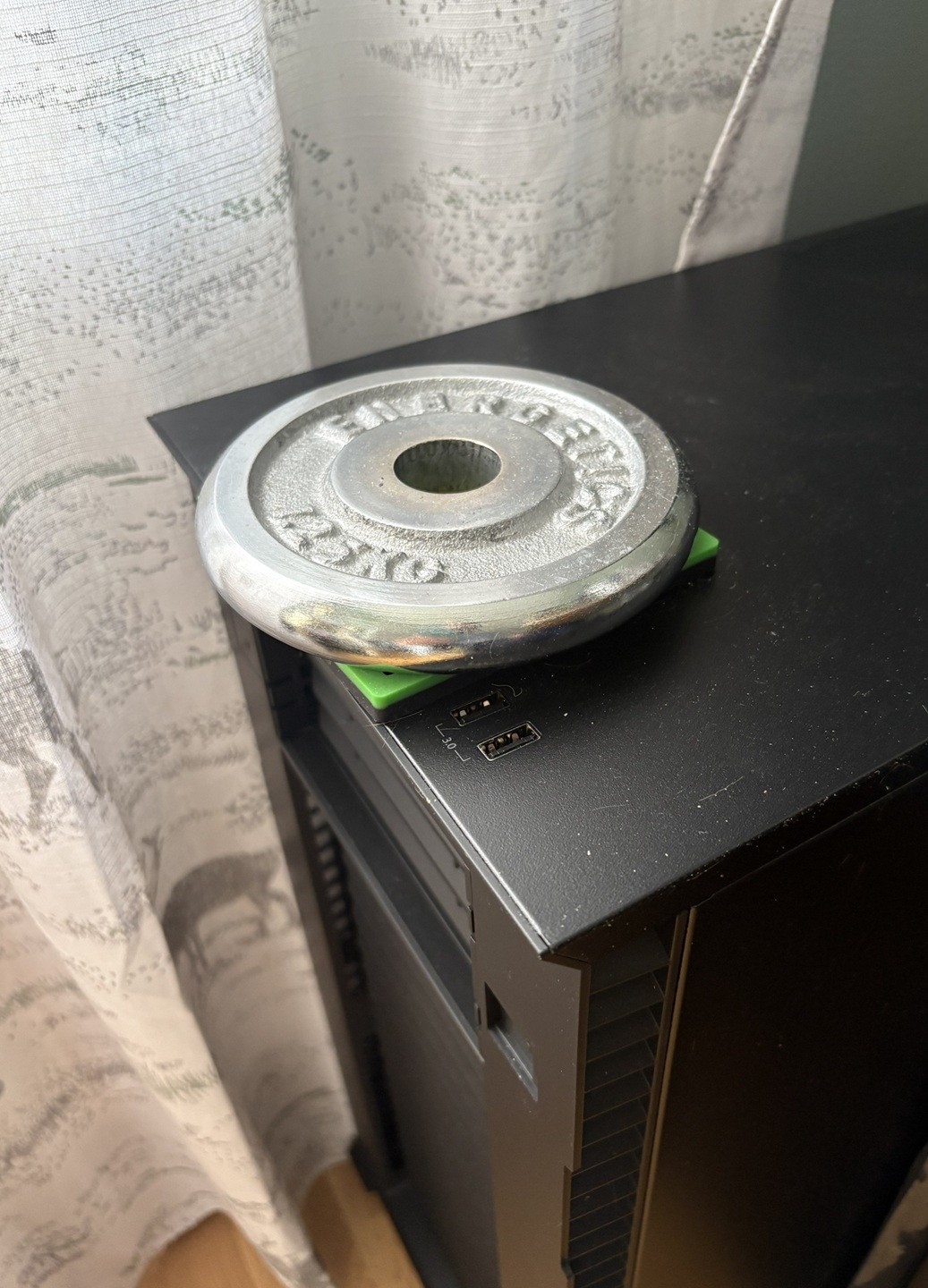
No mouse problem, but I’ve had to take measures to prevent cat-related downtime. Cats and power-button at the top is not a good combination.
When I had this problem I disconnected the power button on the motherboard.
Cant you just assign a different action to that power button instead of messing with it internally?
Connect to spray bottle aimed at… well nope.
You can for a click, but no way for the long press, as that’s handled on a lower level
You got a point. Cats are sneaky 😅
yeah what if cat does a
sudo shutdown -r nowthen we’re really in troubleTaht’s too, but that would still be better than biting the cables.
That should recover. A sneaky cat will
systemctl reboot --firmware-setup.Or just run a cpuburn to ensure that temperatures will stay at cat levels.
Did you reconnect it everytime you had to power it on?
Nah just jam a screwdriver in there to jump the pins.
You shut down your PC though?
On one computer I had a recessed reset button, so I used that as power.
Another computer I added a wire to an external button double stick taped to the back of the monitor so I can turn on both at the same time.
You sound like you are one step short of wiring up a giant lever to dramatically pull down when you want to power on the computer.
I would like and subscribe
Throw the second switch!

A lot of newer motherboards have a separate power button next to the case pinouts.
They make sprung flip-top covers specifically for this reason. It’s just a little adhesive square/circle that you stick over the power/reset button, and it has a flip-top that automatically springs closed again.
Instead of cat proofing, you were supposed to get a server room dog…
I have two server room dogs. An English pit, which is my seizure dog, and a Jack Russel. They shed, especially in the summer months, and the floor sweeper gets a daily work out, as well as keeping it out of equipment enclosures. It’s not that I hate cats, they are nice as a pet in your house, just not mine. LOL
Oh, my housemates’ cat hits the front power button when he leaps off my tower. I’ve got some leather taped over it. My uptime approaches 1! I love your little weight setup, too!
Meowy Guard. https://en.wiktionary.org/wiki/molly-guard
I have a small piece of acrylic sheet taped over the power and reset buttons on my server for that reason. At least I don’t have to worry about mice.
Aha, I disabled the LEDs by unplugging them from the motherboard, you could do the same with the power sw plugs
My radiator is on top so they’ve learned that’s about the only surface in the house where they’re not allowed to sleep
I hosted shit for about ten years before really understanding how local dns worked.
Imagine a primitive society that discovered literally every major modern scientific achievement, but somehow missed the wheel. That’s basically how my first setup went lol.
I have heard of local DNS multiple times now and been selfhosting for many years, but I’m good with my 192.168.178.39 :)
It opened the door to pihole and unbound, then dns certs, man… everything’s so nice now lol
Well hello there, fellow Fritz-Box user :D
I have a feeling there’s a point in time where most non-it self-hosters got fed up with ads and installed pihole, then learned about DNS. I have a feeling that started about five years ago.
Now it’s probably hand in hand with how necessary a pihole is.
I do not self host. I just wandered in here. Do you have suggested resources to learn more about DNS? I feel like generally searching shit sucks to get an answer like that lately.
A dns server knows what and where things are. That’s its only real job, to tell who’s asking where say, http://eff.org/ is.
“Ay homie, where’s https://eff.org/?”
over here - 173.239.79.200
“thanks, bud!”
The issue is, the dns server you use by default is under the control of whoever your provider is, and as a result, they get all of your dns lookups like the example above as well as every porn site, every piracy site, everywhere.
Installing your own, or simply moving to one your provider has no business with like 9.9.9.9 can help keep your dns queries more private, go a step further and use encrypted dns, as many providers supply, and you’ll be even further covered.
Installing your own, however, comes with the added perk of being able to apply your own dns entries. Suddenly local addresses can have custom names without ever touching a hosts file. Neat! Use DNS certs and you’ve got local SSL!
I would go find something applicable to feed you for a dns 101, but my old resources don’t exist. I just know stuff from years of doing it and failing over and over until things work.
Thanks man
One day, our internet just stopped working entirely. Our ISP was fine, router good, but no outside connection and I couldn’t access local devices. I have two Unraid servers. I took a quick glance at them, they were powered on, all looked ok. I decide to power cycle everything. Still no internet. Then I realize that I can still access Google from my phone when on WiFi… hmm. That would mean… an issue with pi-hole!
I begin to try to diagnose from my phone with a hotspot to my computer. I’m getting warmer but some things just aren’t making sense. I go back and stare at the server running pi-hole. Then it fucking hits me.
I have the pretty odd and totally not ideal home network. I have plans to upgrade everything but currently I have two wifi networks tied to the same WAN. One network is run off of access points so I can get Ethernet to odd areas of the property. The Unraid server hosting pi-hole was connected to an AP and the Ethernet cable I used didn’t have a clip, so it just barely unseated itself from it, breaking the connection. The router+pi-hole config meant also breaking the internet if anything happened to pi-hole or that server. I swapped it for a better cable and it all instantly started working.
Spent that weekend sorting out the network so it doesn’t happen again. It was definitely a head-scratcher.
It’s always dns at least half the time
Pihole is cool, but fucked me over as well more than once (not the pihole itself but the host). It’s on its own hardware now, but I plan to add a second one to reduce the single point of failure.
Haven’t thought of that tbh. Would they both just share configuration? Curious how leasing would be split/shared between them. Off to research!
I’ve been running two piholes for a few years:
I let the router handle dhcp, while having it hand out each of the piholes IPs as DNS #1 and DNS #2. Those piholes settings are mirrored using Nebula-Sync, so any change made to one pihole gets copied over to the other automatically.
Both of those piholes are setup to wrap outbound DNS reqests in DOH as well, with the router blocking port 53 outbound. So all DNS traffic leaving the network has to be DOH/DOT or it just gets dropped. Currently using NextDNS and quad9 as my upstream DOH providers.
Note: the cloudflared method for DOH is outdated. I’m still using it via the docker image “image: cloudflare/cloudflared:2025.11.1”
I believe This (dns-crypt) is the more recent method.
Oh sweet this is super helpful! Doesn’t seem too complicated. Thanks!
@Darkassassin07 Looks very useful. Also timely for me. I have a use case that requires multiple synched pi-holes. 👍🏼
There’s some sync mode but I haven’t really looked into it yet.
Makes sense.
Yep I’ve had it randomly stop working if it has to serve clients outside it’s subnet
I mean, would you want it to serve clients outside of your subnet? I guess maybe if you had something like a guest network. But I tend to take the “fuck it, you get basic service and nothing else” approach to things like guest networks.
Isn’t it a potential security issue to have your pihole serve things on any subnet, because it allows an improperly configured firewall to stab at your pihole? I think you can specify any additional subnets it will serve in the settings somewhere. But IIRC, the default behavior is to intentionally drop traffic from unknown subnets. But that’s just off the top of my head.
I keep one Physical Pihole and one in a container, be sure yeah, this happens.
Then you tell people about it on IRC and become known as “the dead mouse guy”.
But the maximum nickname length on the IRC server is limited, so you settle for “deadmau5” as your nick.
Also mouse not pictures
I was frantically searching for it, then i opended the post to See if the comments found it …
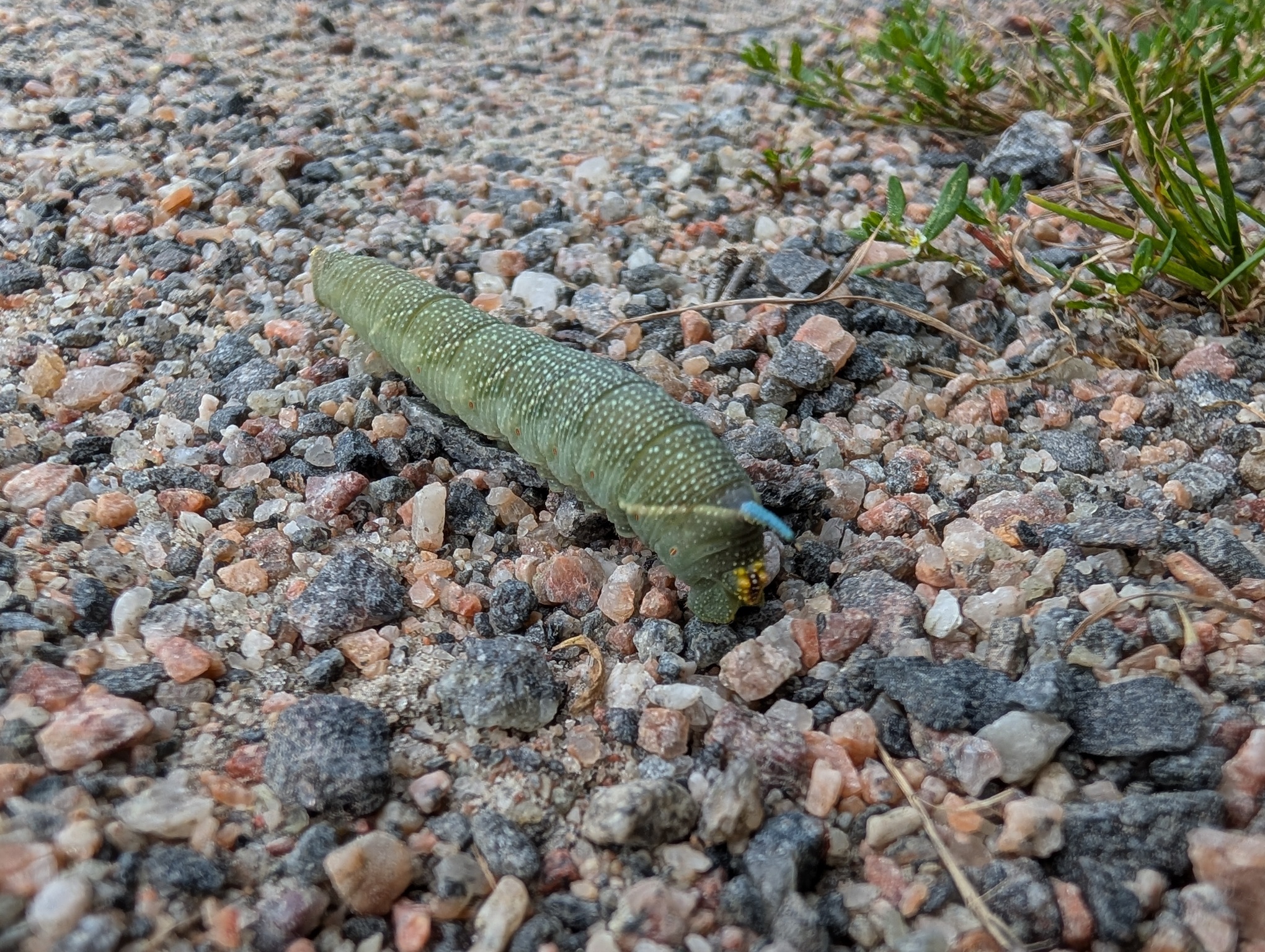
I’m sorry. Have this picture of a lime hawk-moth caterpillar I saw the other day.
https://plantmonster.net/pictures/phone/PXL_20260813_122831209.jpg
At my first-ever tech job back in 2000, I was given a little Celeron desktop computer to do my work: mostly writing some ColdFusion and cutting up images in Photoshop. For the most part, the machine worked fine, except whenever I scrolled down on a webpage in Netscape, the box’s PC speaker would start screaming. I tried to ignore it, but I was in a small room with two other nerds and it was getting really annoying.
One day, my frustrated colleague decided it was time to investigate. As part of the process, he noticed that there was very little air coming out of the power supply fan port. “Must be a busted fan and that’s causing an overheating alarm” he declared. We unplugged the box, popped it onto my desk, and opened it up. The internals were pristine. No dust, nothing. The computer was practically brand new after all.
We were just about to crack open the power supply (not recommended, but we were getting desperate) when my colleague noticed that something was wedged inside the fan… it was the biggest (dead, thankfully) cockroach I have ever seen, at least 10cm long. For context, this was in Vancouver, Canada. Those just don’t exist there.
My colleague jammed his screwdriver in there to grind up the cockroach carcass, then plugged the box back in. After a shittone of dessicated cockroach guts spewed out the back, my little computer was operating normally.
As best we could guess, the monster crawled into the fan in Malaysia when as was assembled and somehow got pinned in there, died of starvation, and then stowed away to Canada.
And this is the way bioinvasor species spread - most of the time they don’t come delivered inside of PSUs but simple crates, which improves their survivability lol
Optical or roller ball?
I have a strong suspicion that the answer is mammilion
That sounds like a lot. Is it more than a bajillion, or less?
Many cells
Cat vomit… my cat hit my raspberry pi.
Sounds like a cat. The entire place to vomit and it finds the most expensive/inconvenient thing to lay that stomach lasagna on.
You don’t need a mouse for a server. Just SSH into it, duh.
Now now don’t sshush the server, it’s doing the best it can, okay? It gets hot in that box…
Well, if it could think outside the box every once in a while, that would be great y’know.
Not exactly self-hosting, but I’ve worked at two different academic labs that had unique issues and small budgets.
The first was on top of a mountain at 3km elevation. The low air pressure meant that all hard drives had a lifespan of no more than a year before starting to have issues. This was in the pre-SSD days. The “solution” was to boot from a floppy, never compress data, and have a student return the drives to a low elevation and swap them for the prior ones every six months.
The second was at a place that was using old Datacube MaxVideo hardware that we would never have the budget to replace. It would crash if the room temperature got above about 18C, so we set the thermostat to 15C. Which doesn’t sound too bad until you’ve tried sitting at a desk for 8 hours where everything is 15C and the heat is just slowly leaving your body into the chair, the desk, and the keyboard. And then you walk outside where it is 32C and instantly start sweating because you’re still in several layers and fingerless gloves.
Not selfhosting, but I remember standing in a server room with a hands’ width of water on the ground (and rising), and hastily shutting down servers where the water was already in the case. It were big towers (Compaq Proliant, if anyone remembers), and luckily the board, drives, and PSU were in the top part of the big tower cases, the drive bays at the bottom were empty.
We got all equipment out safely, and we did not get electrocuted, either. We left with the last equipment when the water level was approaching the knees.
Reminds me of a time at my old job. It was a small office and this was before “the cloud” was a buzzword, so we had a little server room running a few boxes for AD, Exchange, and the thick end of our thin clients.
This “server room” was basically a large closet behind my office, retrofitted with its own AC.
We had residential units on the higher floors of our building. Residents occasionally thought to themselves “you know what makes a great hanging rack? Sprinkler pipes!” Hijinks ensued.
That was a fun call to get at 10PM.
Shoutout to the facilities guy who immediately thought to run a makeshift tarp over the server rack, fashioned from trash bags. No permanent damage.
Did you try turning the faucet off first to stop the water from rising while you were working?
The “faucet” was water literally streaming in through the broken window during a thunderstorm. One of my coworkers went outside and shielded the window with a wooden board to reduce the flow.
Back in the day of BBS’ my buddy had a wonky modem. If I picked up phone , pursed my lips and did a squeaky sound the modem worked and I could log into BBS.